CorralCorral pilot guide
You did not start a run club because you needed a second job.
Corral helps you organize runs, welcome new people, communicate clearly, and understand what is working without adding more admin to your week.
What this guide is for
Learn what each feature can help with
This guide is written for run-club organizers. It explains what each Corral feature does, what organizer problem it is meant to solve, and how to use it during a real club run.
Organizer problems
Top problems Corral solves for organizers
Organizer problem
I do not know who is actually coming.
Corral gives each run an RSVP list, first-timer count, capacity view, and check-in record so you are not guessing at the start line.
Organizer problem
I have to post the update in a bunch of different channels.
Corral keeps the official run details in one place so you can share one link and reuse one clear message across WhatsApp, Instagram, and email.
Organizer problem
Welcoming new runners takes effort.
Corral helps you spot first-timers, assign welcomers, and reward members who make the club feel easy to join.
Organizer problem
A run club should not exist in just one person's brain.
Corral gives you roles, waivers, member questions, analytics, and settings so the club can scale beyond one organizer's memory.
Feature guide
What Corral helps you do
01Start with your club setup
- What it does
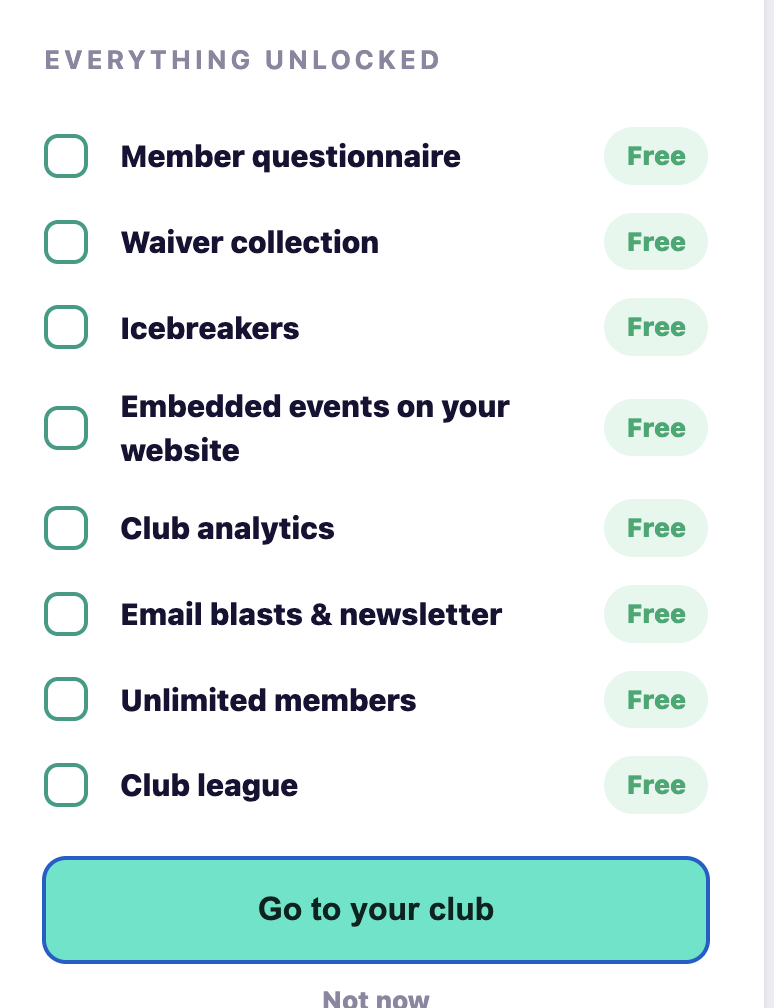
- Helps you create your club, choose the tools you want, and turn on the basics like events, waivers, member questions, badges, analytics, and communications.
- The organizer problem
- Getting a run club organized usually means a mix of notes, spreadsheets, DMs, forms, and memory. That works at first, then it slowly turns into a nightmare.
- How to use it
- Start here. Add your club name, choose the tools that matter most, and keep the rest available for later. Corral grows as your run club does.
02Create runs and keep details in one place
- What it does
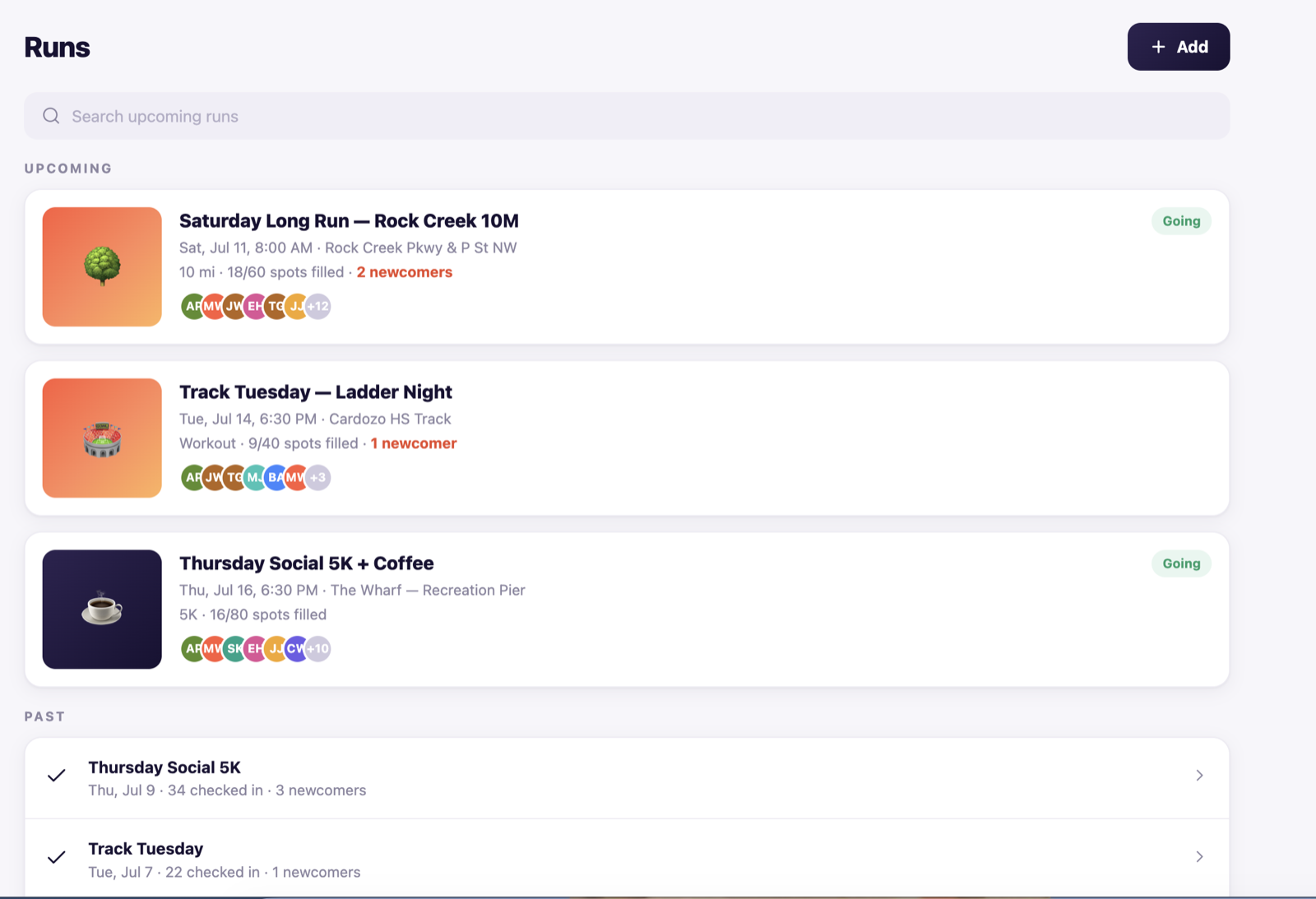
- Gives every run one clear page with the time, meeting spot, distance, capacity, RSVP list, first-timer count, and attendance after the run.
- The organizer problem
- Run details often get scattered across Instagram, WhatsApp, Strava, email, and word of mouth. When something changes, it is easy for people to miss the update.
- How to use it
- Create the run in Corral first. Then share the link anywhere your club already communicates. If the meeting spot or time changes, one update gives every runner the current details.
03Know who is coming
- What it does
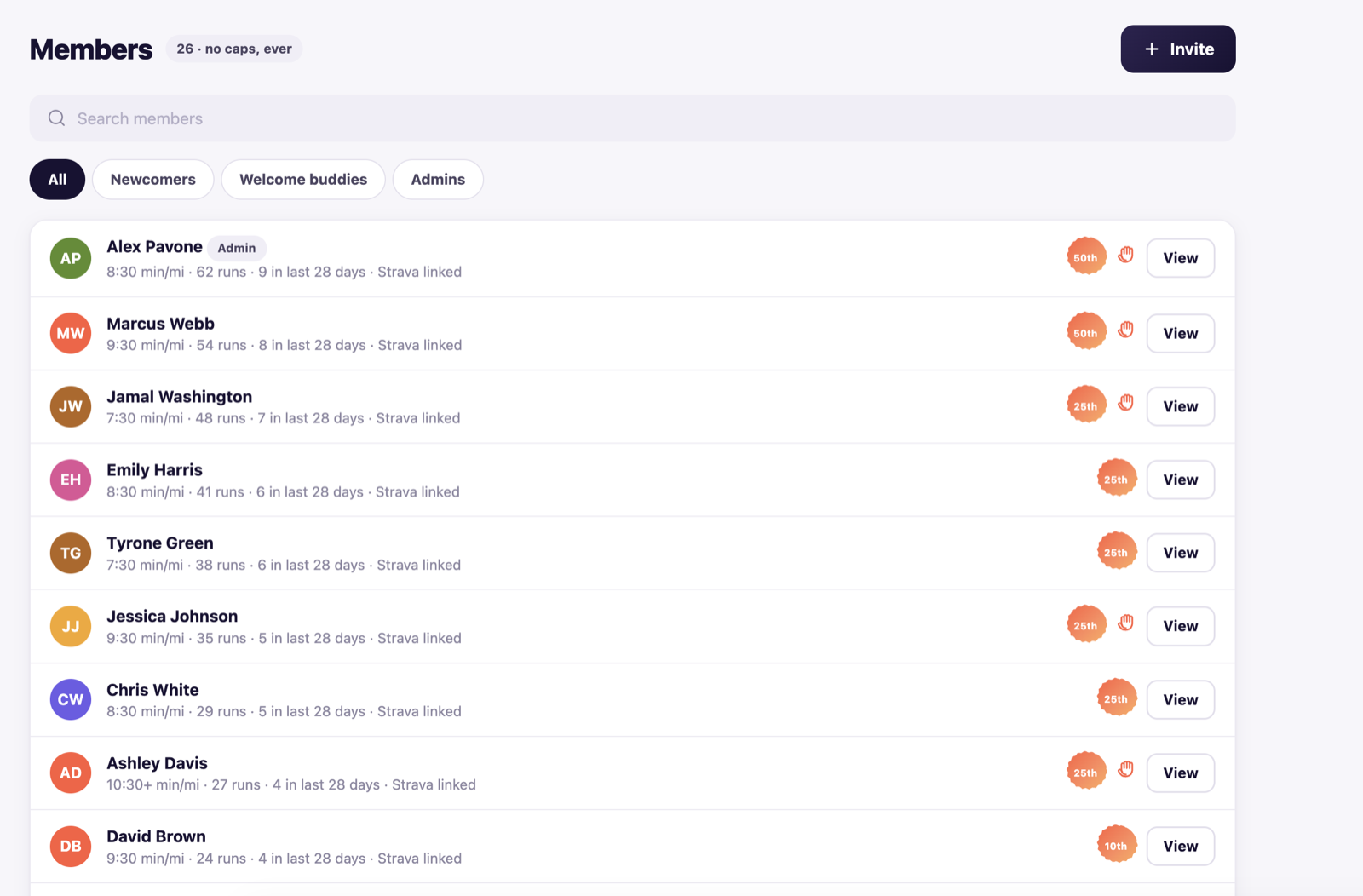
- Shows your members, newcomers, admins, run counts, recent activity, welcome buddies, and people who may need extra help before a run.
- The organizer problem
- A good organizer is always quietly tracking who is new, who needs a pace group, who can lead, and who is a regular. That is a lot to hold in your head.
- How to use it
- Check the member view before each run. Corral can flag first-timers, waiver gaps, reliable regulars, possible leaders, and welcomer needs so you are not starting from memory.
04Send one clear message
- What it does
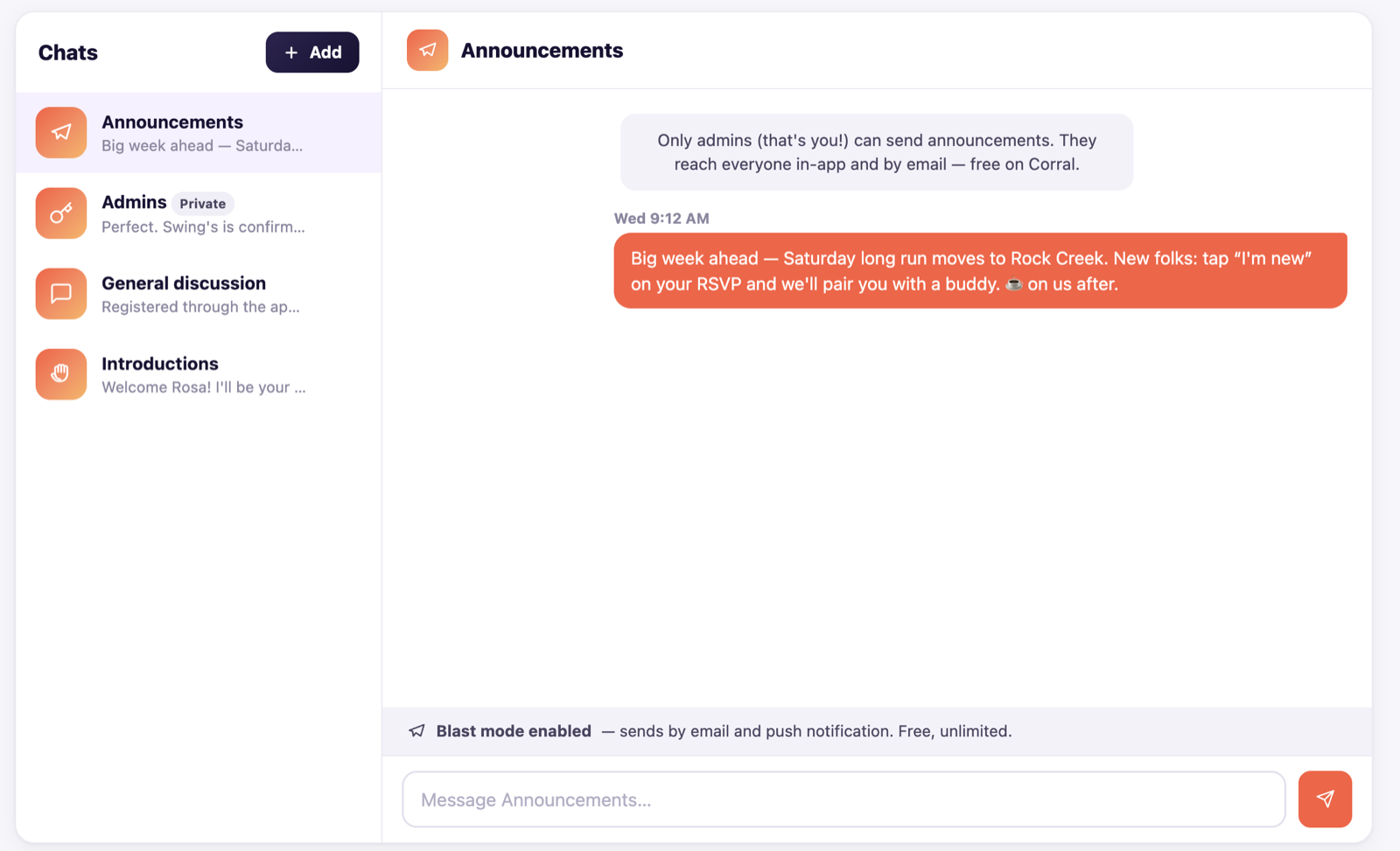
- Helps you prepare announcements, coordinate with admins, and keep club communication tied to the official run details.
- The organizer problem
- You have to post the update over a bunch of different channels, then hope every channel has the same current information.
- How to use it
- Corral keeps the official run details in one place so you can share one link and reuse one clear message across WhatsApp, Instagram, and email.
05Understand your club's health
- What it does
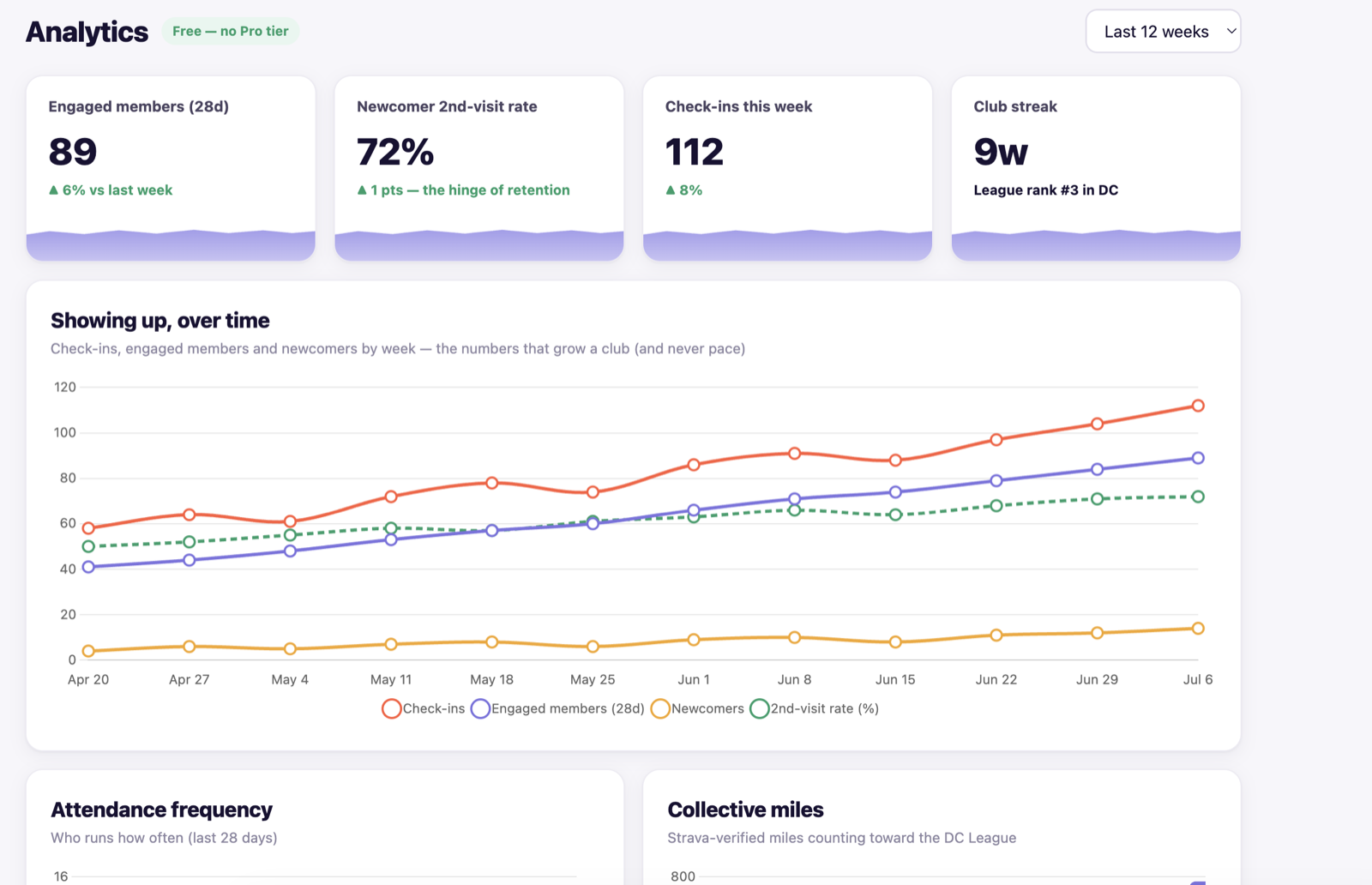
- Shows attendance, check-ins, streaks, newcomers, return rate, RSVP patterns, and other signals that help you understand club health.
- The organizer problem
- RSVPs do not tell the whole story. You need to know who actually showed up, whether new runners came back, and whether your club rhythm is getting easier.
- How to use it
- Review analytics after each run. Look for patterns: which runs bring people back, which events people like most, where attendance drops, and where newcomers are finding their way in.
06Create friendly motivation
- What it does
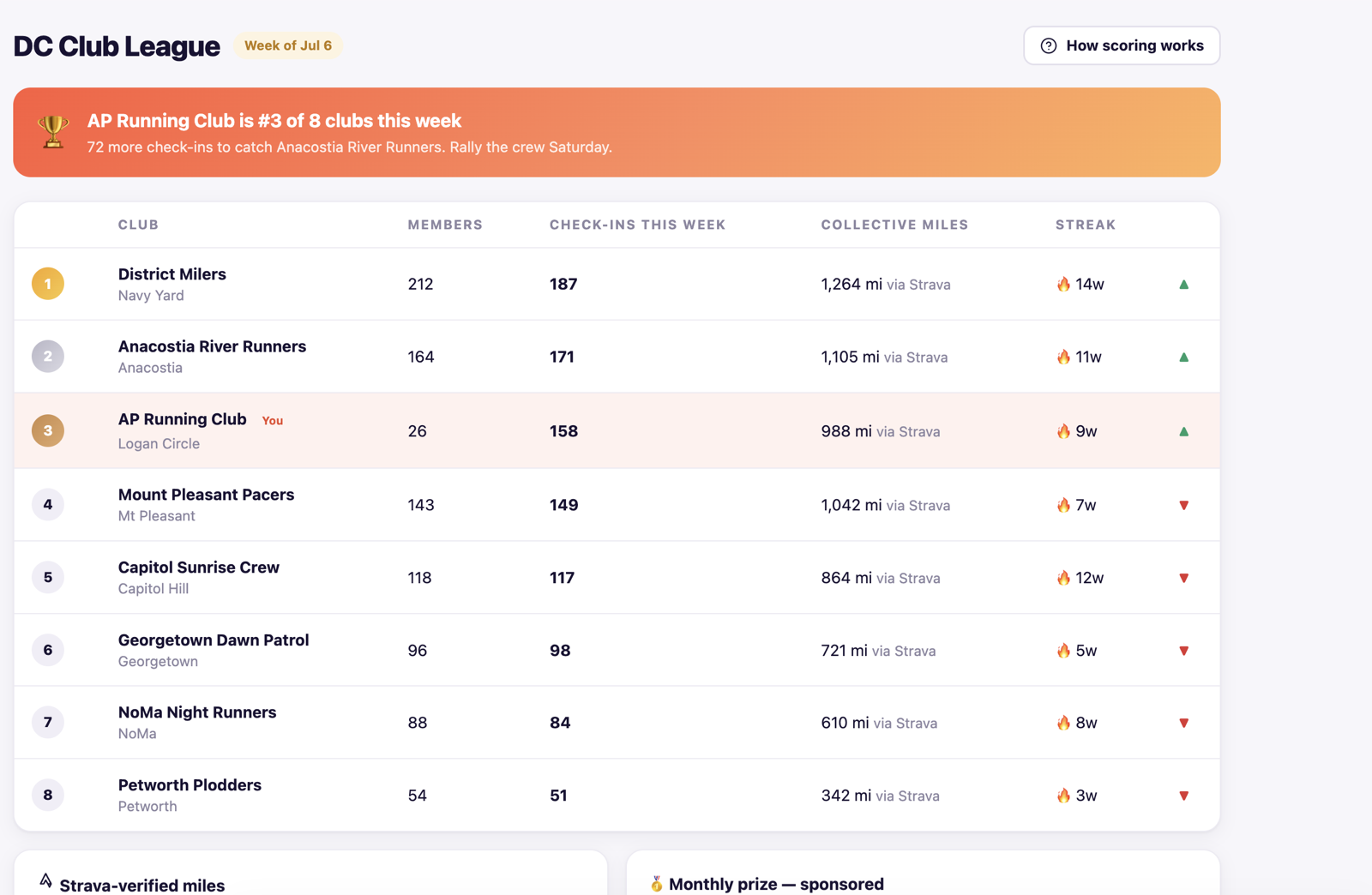
- Gives your club shared goals through streaks, leaderboards, check-ins, miles, and participation.
- The organizer problem
- Clubs need energy between runs, but organizers should not have to manually build leaderboards or invent new ways to keep people engaged.
- How to use it
- Use the club league as light motivation. Celebrate consistency, showing up, welcoming others, and team progress without making it only about speed.
07Offer benefits without extra admin
- What it does
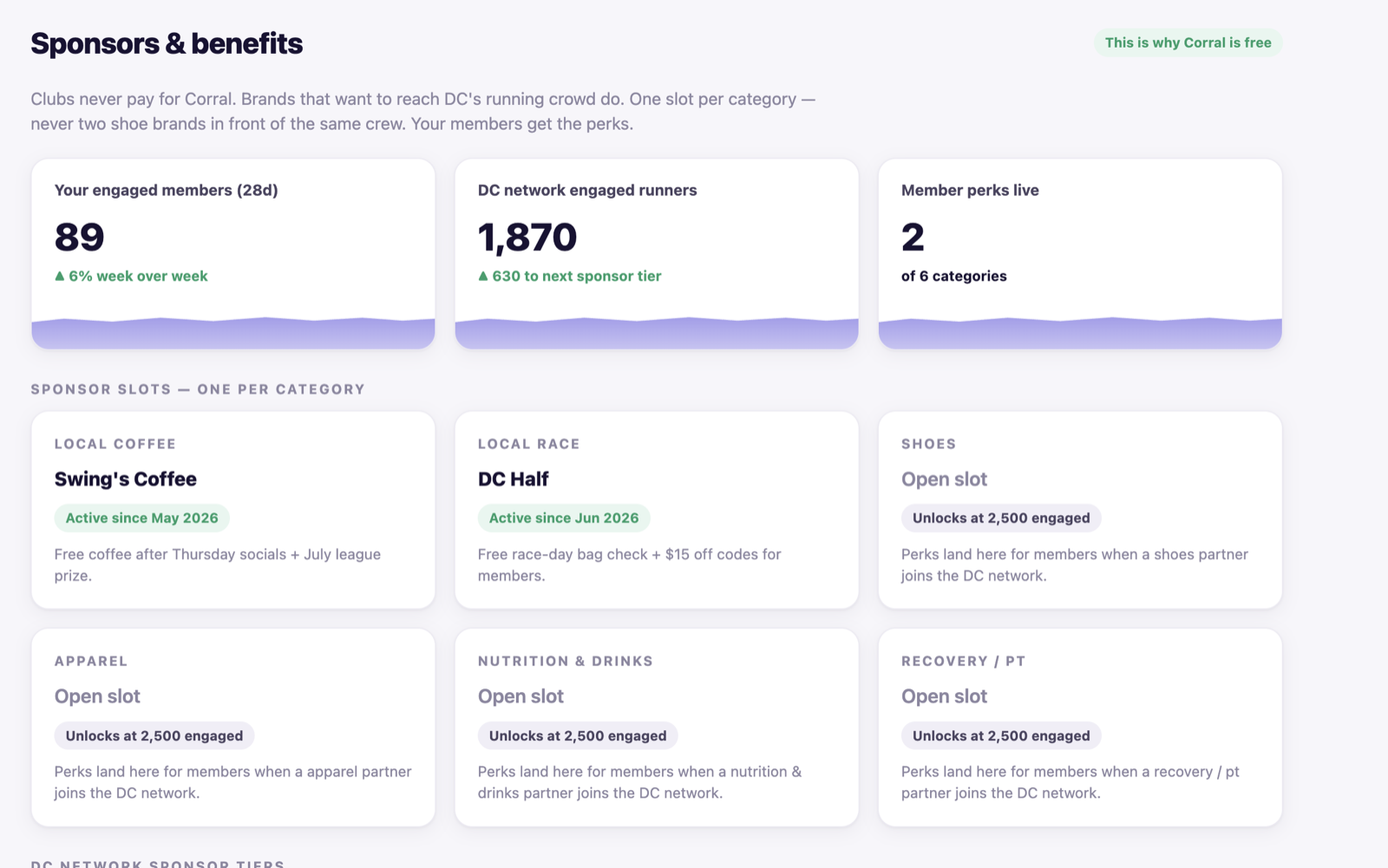
- Shows how active clubs can unlock member benefits, local perks, and sponsor opportunities over time.
- The organizer problem
- Runners like perks, and local brands want to reach runners, but most organizers do not want to manage sponsor relationships on top of everything else.
- How to use it
- Think of benefits as upside, not another task. Corral is designed so club tools stay free while relevant partners can support your running community.
08Make the club easier for more people to help run
- What it does
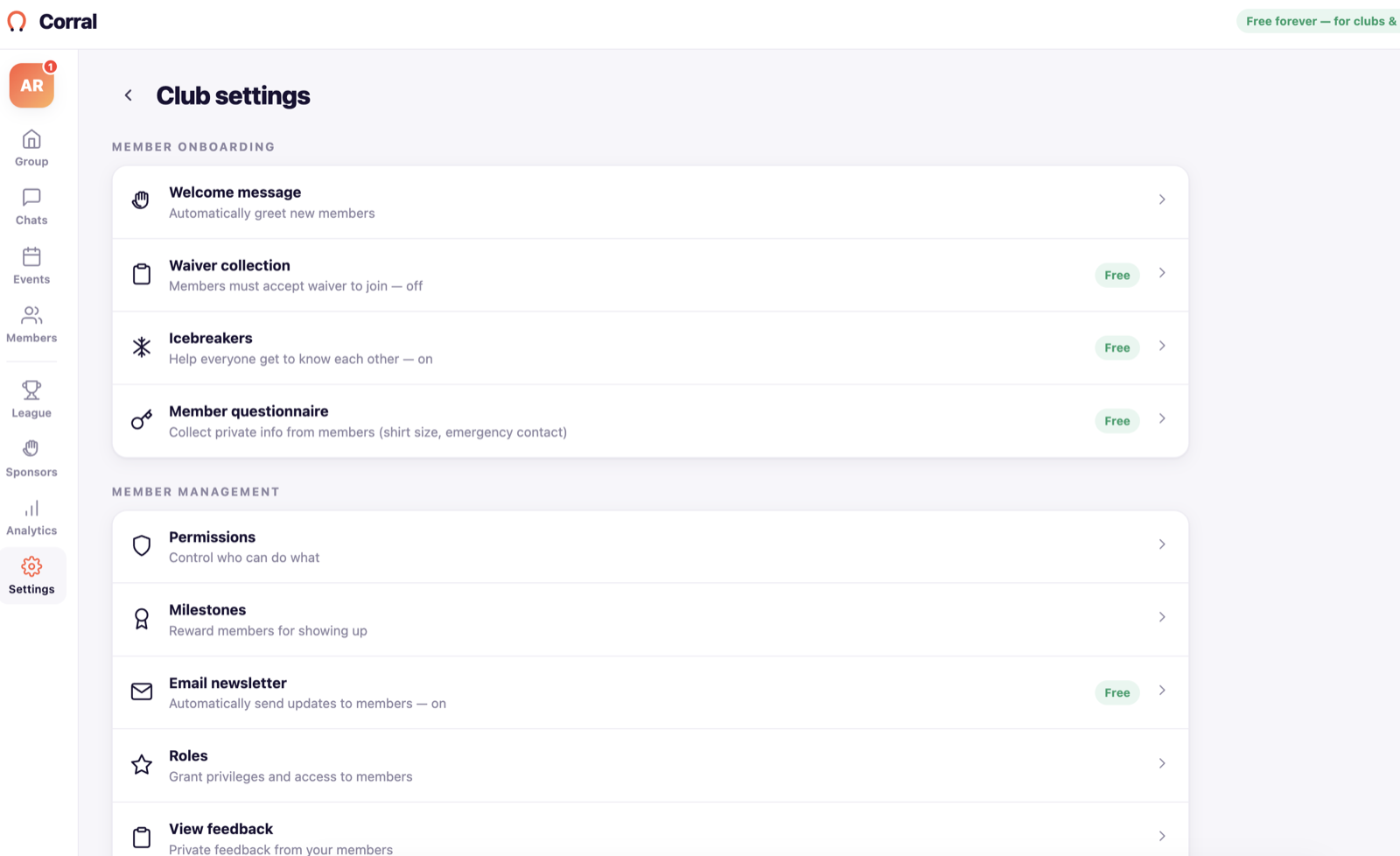
- Manage waivers, roles, questions for new members, notification defaults, badges, newsletters, and club settings.
- The organizer problem
- The important club rules often live in one organizer's memory. That makes it harder to share work, bring in volunteers, or keep things consistent.
- How to use it
- Permissions give you support where you need it most. Make someone a volunteer, welcomer, pace captain, or event lead through the Corral dashboard so everything stays in one place.
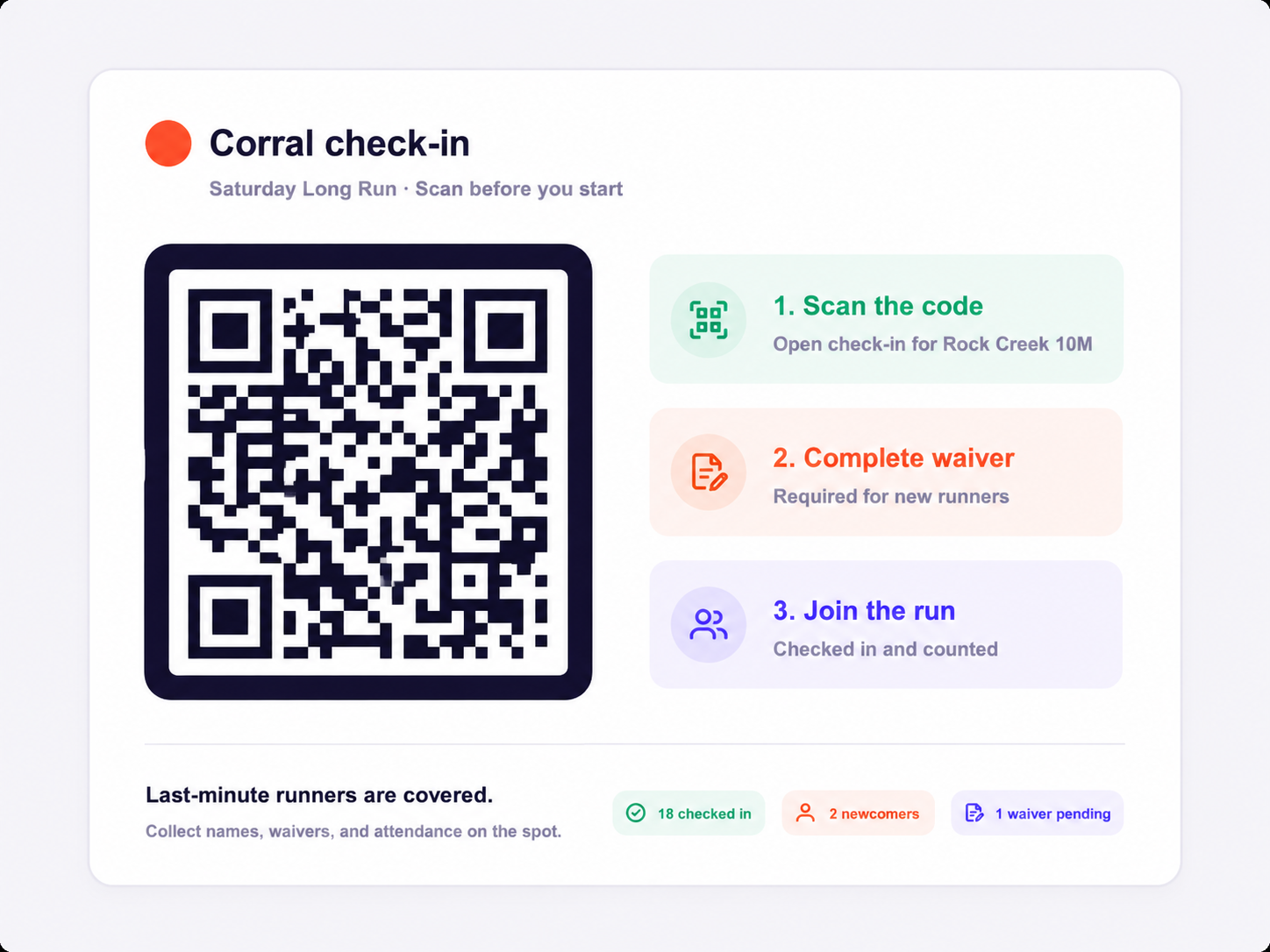
09Use QR check-in on run day
- What it does
- Gives runners a fast way to check in from the start line, including last-minute arrivals and people who did not RSVP ahead of time.
- The organizer problem
- Walk-ups are normal at run clubs. Without a simple check-in flow, you can miss names, waivers, attendance, and first-timer information.
- How to use it
- Put the QR code where runners can scan it before the run. Last-minute runners can check in, share key details, and complete required waivers before they join the group.
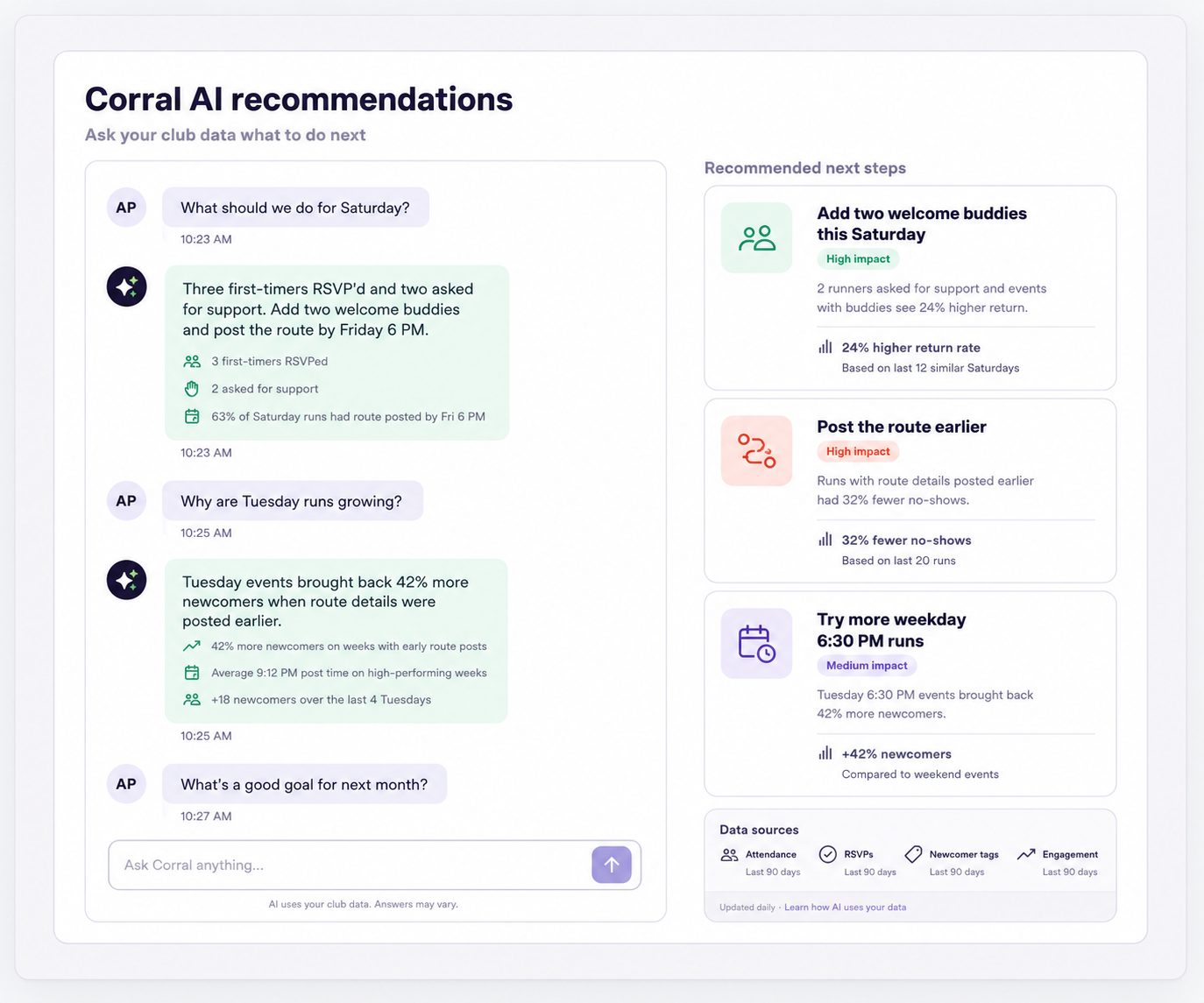
10Coming soon: AI recommendations
- What it does
- Turns your club data into smart recommendations about what events are working, how to grow, and where to increase visibility.
- The organizer problem
- Organizers collect a lot of signals, but it takes time to turn attendance, RSVP, newcomer, and engagement data into clear next steps.
- How to use it
- Coming soon: Corral will use AI analytics to turn your data into actionable ideas that help you expand awareness, improve events, and grow your club.
Simple run loop
How Corral fits into one club run
- Create the run in Corral.
- Share the run link in the places your club already uses.
- Let runners RSVP with the details you need, like pace, distance, and first-timer status.
- Check the roster before the run so you know who is coming.
- Assign leaders, captains, or welcomers if you need them.
- Use check-in at the run so attendance is based on who actually showed up.
- Clean up no-shows, walk-ins, and distance notes after the run.
- Review the recap and analytics before planning the next run.
First run checklist
Try this with your next run
- Create a simple run with the correct time, meeting spot, distance, and capacity.
- Open the public run page on your phone and make sure it is easy to understand.
- Share the Corral link in WhatsApp, Instagram, email, or wherever your runners already are.
- Before the run, check who is new, who has RSVP'd, and whether anyone needs a waiver or extra context.
- At the run, use QR check-in or organizer check-in so you know who actually showed up.
- After the run, fix any walk-ins or no-shows and review the recap.
- Ask yourself: did this make the next run easier to organize?
Plain-English summary
What Corral is trying to make easier
Corral gives your run club one reliable place for the details that usually get scattered: who is coming, who is new, who needs a waiver, who can help lead, who actually showed up, and what to do next time. You can still use WhatsApp, Instagram, Strava, and email. Corral just gives those channels a cleaner source of truth.